DecorAI: AI Interior Design App
DecorAI is a free AI app that redesigns rooms in seconds.
- Upload a photo and get professional designs instantly.
- Choose from 30+ styles like Bohemian, Modern, and Scandinavian.
- Visualize furniture, colors, and layouts in your actual room.
Available for iOS, Android, and Web.


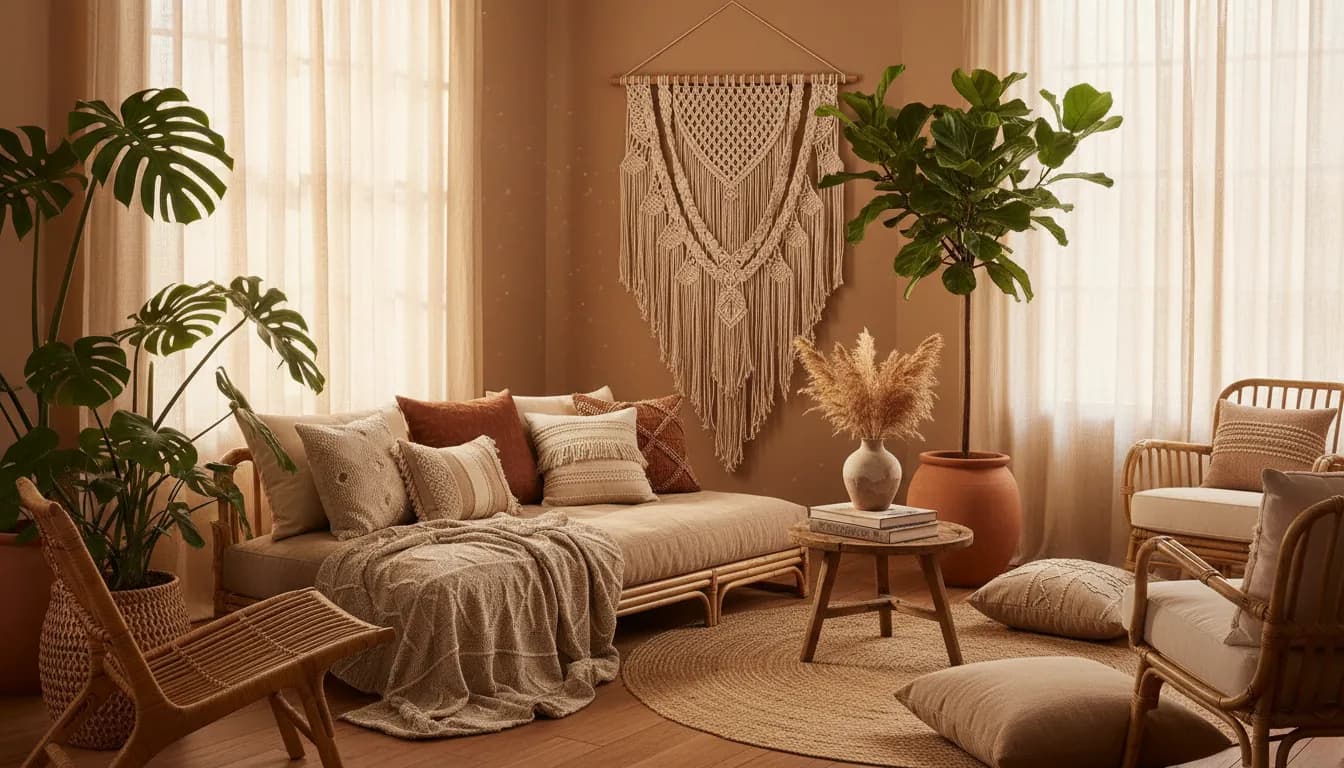
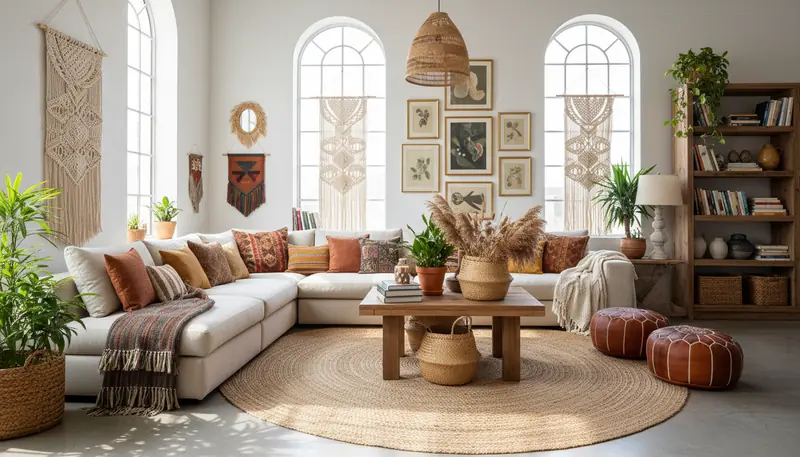
Bohemian Living Room
Created with DecorAI in 10 seconds
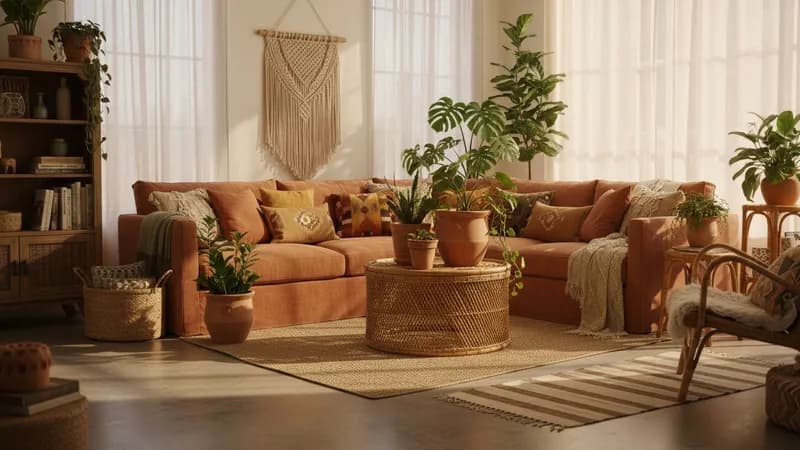
What is AI Interior Design?
AI Interior Design uses artificial intelligence to transform your room photos into beautifully redesigned spaces. Simply upload a picture of any room, and the AI analyzes the layout, lighting, and dimensions to generate stunning design ideas.
With AI Room Design technology, you can visualize different styles—from Bohemian to Modern Minimalist—without hiring an expensive designer or moving any furniture. AI Home Design tools make it the fastest way to see your dream room come to life, taking just seconds to create photorealistic renders that help you plan your perfect space.
AI Decoration App Features
What Can the AI Decoration App Do?
Six powerful features to transform any room. No design experience needed—just upload a photo and let AI do the work.
See Your Room in a New Style
Our AI Decoration App transforms any room photo into a beautiful new design. Pick from over 30 styles like Bohemian, Modern, or Farmhouse and see the result in seconds. Your dream room is just one tap away!
Clean Up Messy Photos
Got stuff everywhere? Just tap to remove furniture, toys, or clutter from your photo. The AI Home Design App gives you a fresh start so you can see what your space could really look like.
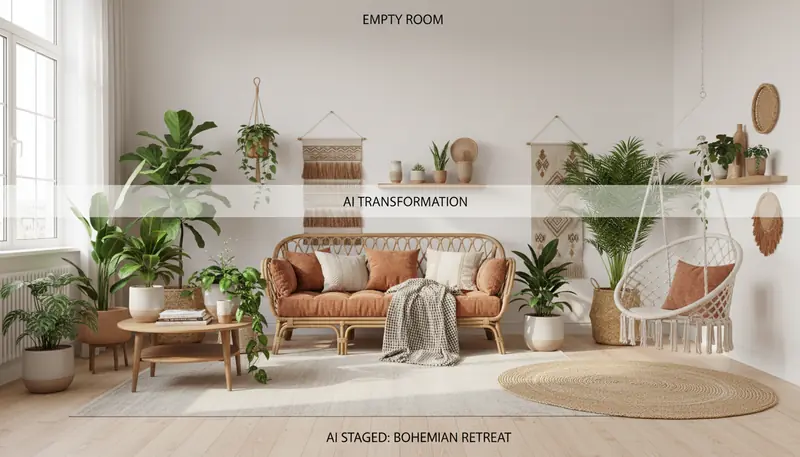
Add Furniture to Empty Spaces
Moving into a new place? The AI Interior Design App fills empty rooms with beautiful furniture that fits perfectly. Great for planning your new home or making real estate photos look amazing.
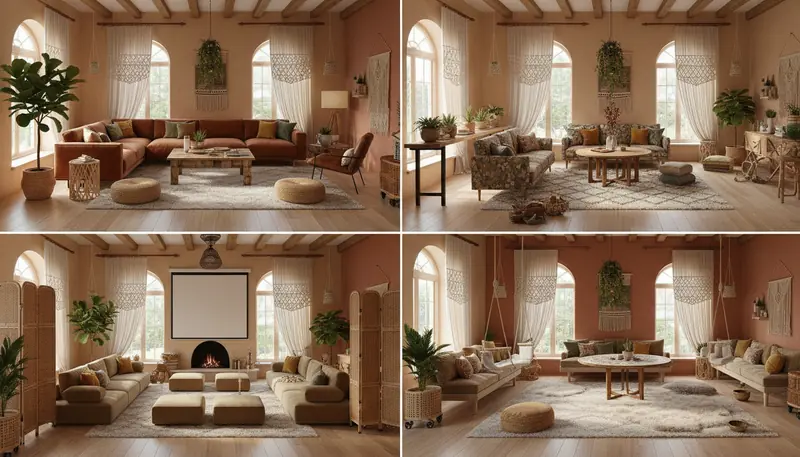
Rearrange Without Heavy Lifting
Wonder how your room would look with furniture in different spots? Our AI Room Design App lets you try different layouts instantly. No more pushing heavy sofas around to test ideas!
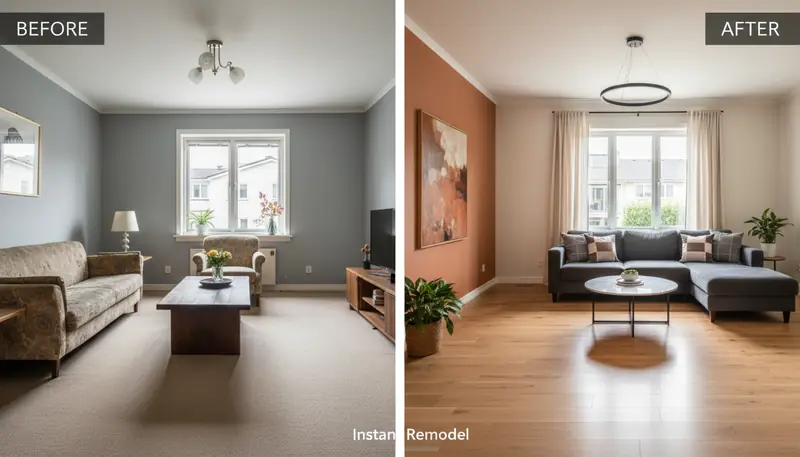
Preview Paint Colors and Flooring
See how new floors or wall colors would look in your home before buying. The AI Decoration App shows you exactly what different paints and flooring look like in your actual room.
Beautiful Photos You Can Share
Download high-quality images of your redesigned rooms. Perfect for sharing with family, showing your decorator, or posting on social media. Everyone will want to know your secret!
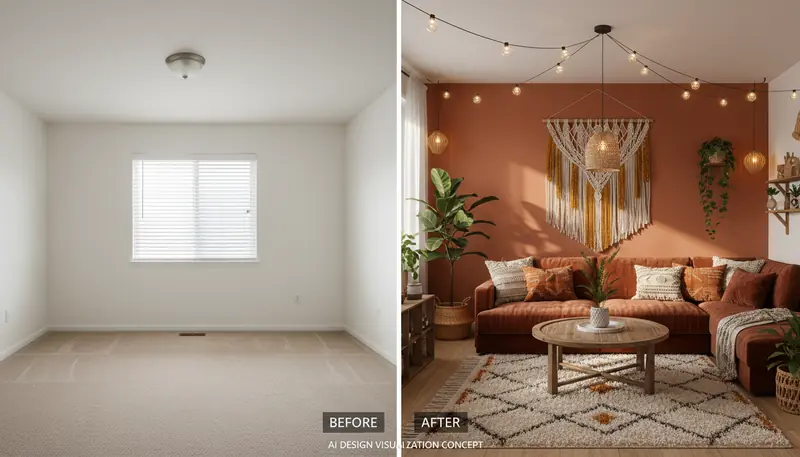
See the AI Decoration App in Action
Slide to see how our AI Interior Design App transforms a real room. This is what you can do with just one photo and our AI Room Design App!
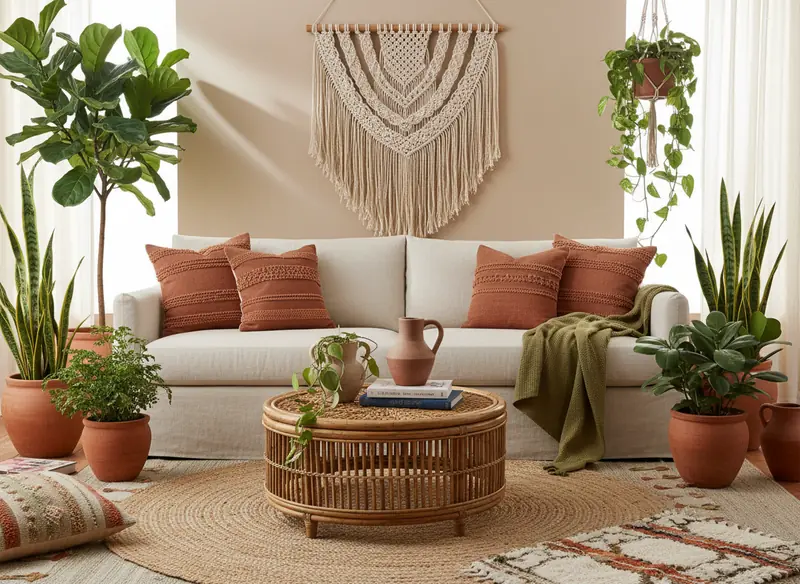
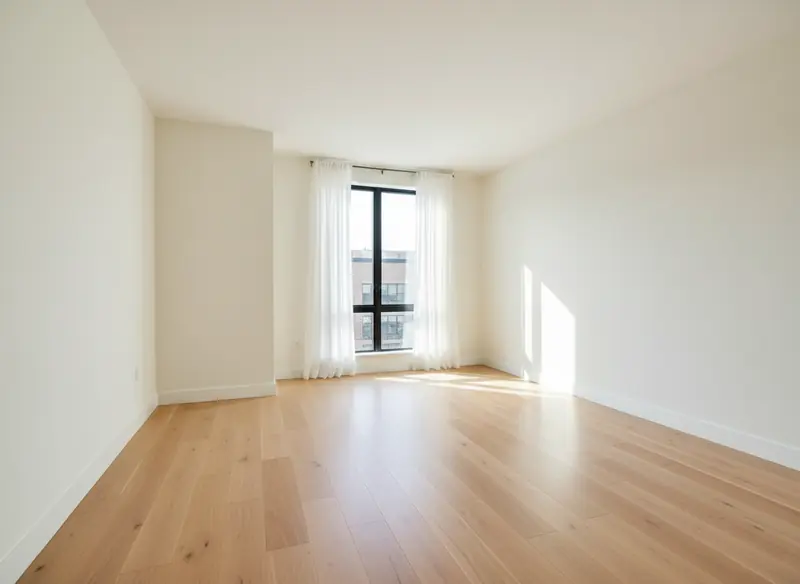
Drag the slider to compare before and after
Why People Love the AI Decoration App
See why over 1 million homeowners choose our AI Interior Design App. It's faster, easier, and way more affordable than hiring a designer!
Skip the Expensive Designer
Get professional design ideas for free with our AI Decoration App. No need to pay hundreds for a consultation. See what works before you buy any furniture or paint!
See Results in Seconds
No waiting weeks for design ideas! Upload a photo and the AI Interior Design App redesigns your room instantly. Try as many different styles as you want!
Make Listings Look Amazing
Real estate agents love our AI Home Design App. Empty rooms become beautifully furnished photos that help buyers imagine living there. Sell homes faster!
No Design Skills Needed
If you can take a photo, you can use the AI Decoration App. Over 1 million happy users agree. It's made for everyone, not just designers!
See It Before You Spend
Test furniture, colors, and styles in your actual room with our AI Room Design App. Stop guessing and start knowing what will look perfect in your home.
Results That Look Real
Our AI Interior Design App creates photos that look like a professional designer made them. Your redesigned room will look magazine-worthy!
Ready to Transform Your Home?
Join over 1 million people using the #1 AI Decoration App. It's free, fast, and fun!
AI Interior Designer vs Traditional Designer
Wondering if you should hire an interior designer or use an AI Room Design app? Here's how DecorAI compares to traditional design services.
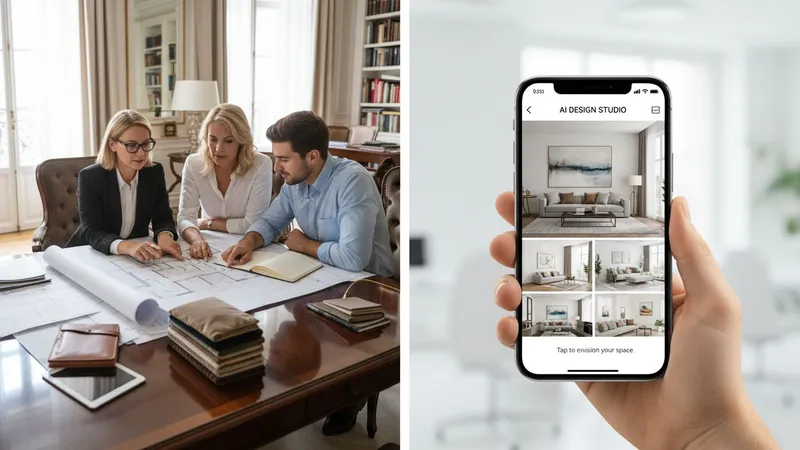
Save thousands on interior design costs while getting instant, professional results.
The average cost of an interior designer ranges from $500 to $5,000 per room, plus weeks of waiting. With DecorAI's AI Interior Designer, you get unlimited room designs instantly for a fraction of the price. Whether you're redecorating a single room or planning a whole-home makeover, our AI Room Design technology delivers professional-quality results in seconds—not weeks.
How It Works
How Does the AI Decoration App Work?
Transform any room in 4 simple steps—no design skills required.
Take a Photo
Snap a picture of any room in your home. The AI Decoration App works with living rooms, bedrooms, kitchens, bathrooms - any space you want to redesign!
Pick a Style You Love
Choose from over 30 beautiful styles in our AI Interior Design App. Love Bohemian? Prefer Modern? Farmhouse fan? We have something for everyone!
Watch the Magic Happen
Our AI Home Design App redesigns your room in seconds. Like magic, but real! The AI figures out your room size and makes everything fit perfectly.
Save and Share
Download your new room design from the AI Decoration App. Share it with friends, family, or use it for planning your makeover!
AI Decoration App Styles
Explore 30+ Beautiful Design Styles
From cozy Bohemian to sleek Modern, the AI Interior Design App has every style you could want. Here are some favorites!
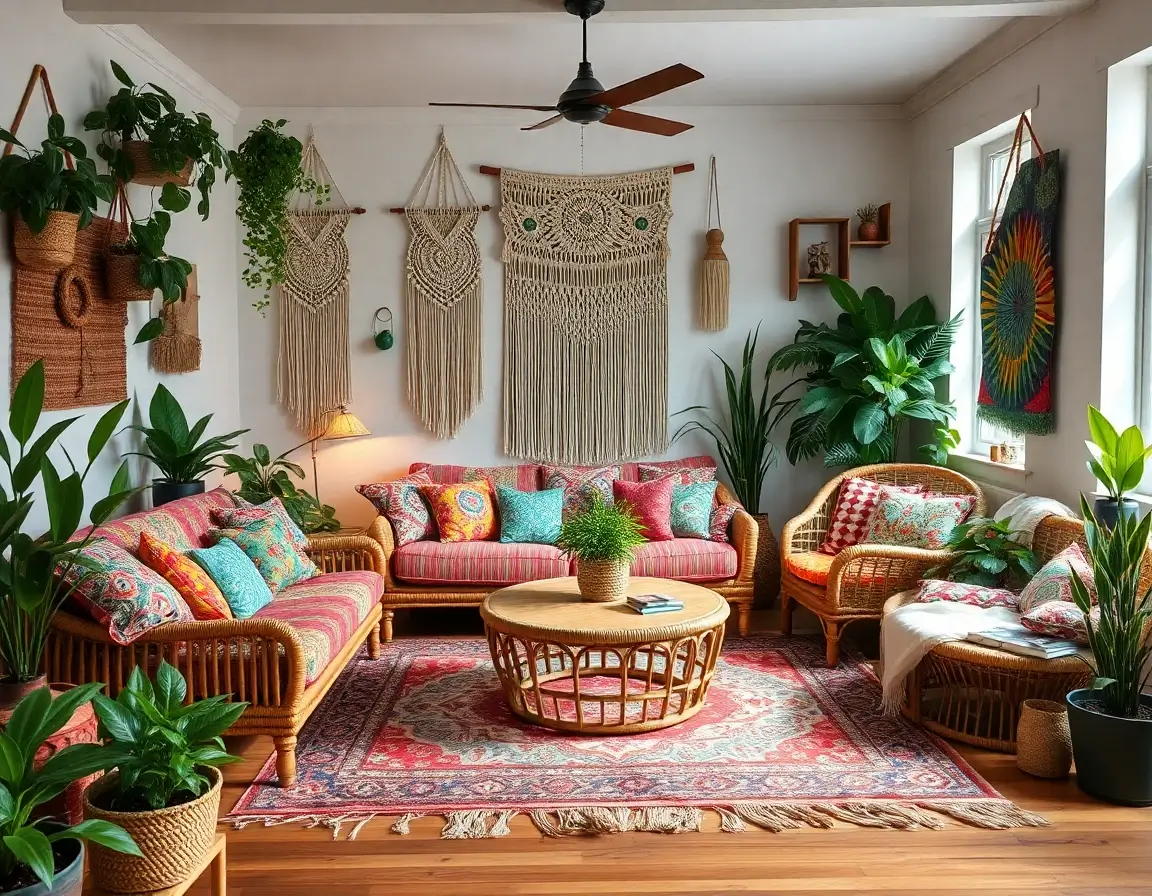
Bohemian
Cozy and free-spirited with warm colors, natural textures, and lots of plants. Perfect for creating a relaxed, welcoming space.
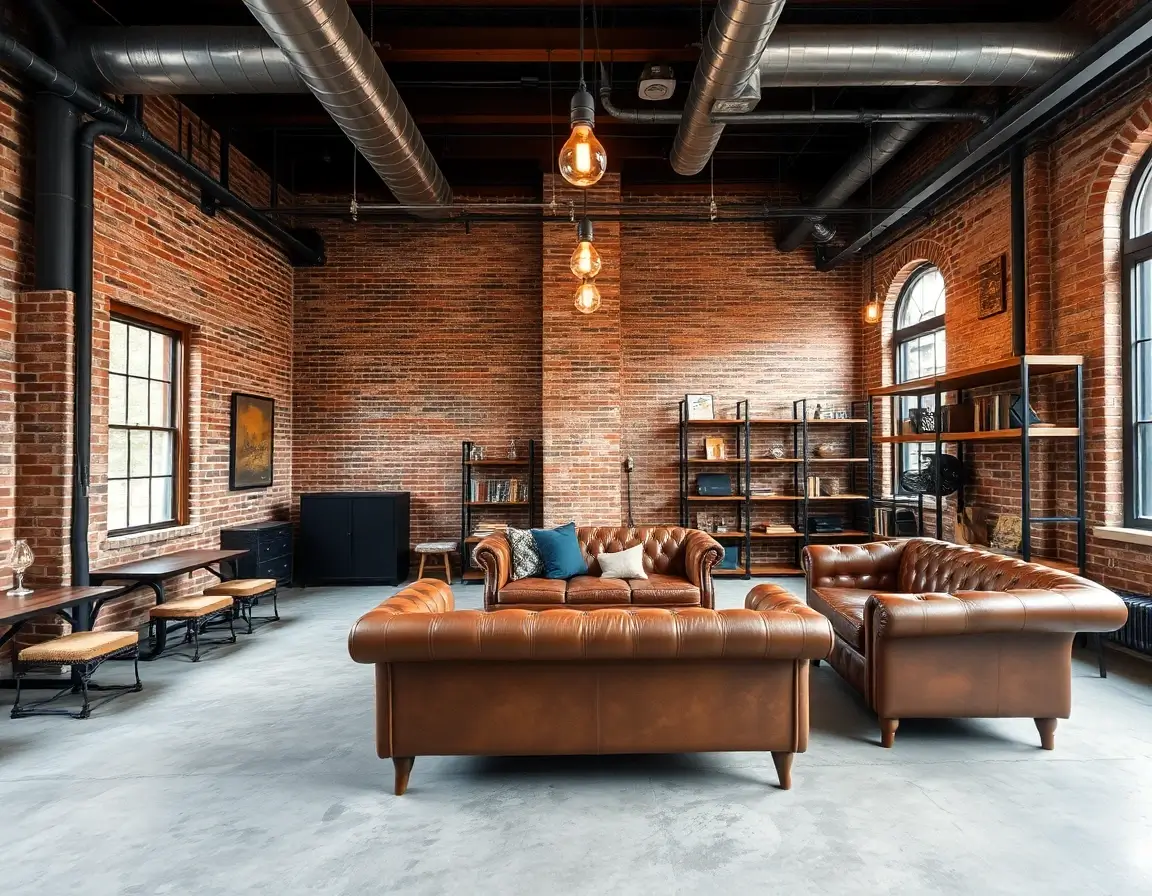
Industrial
Cool urban style with exposed brick and metal touches. Great for modern lofts.
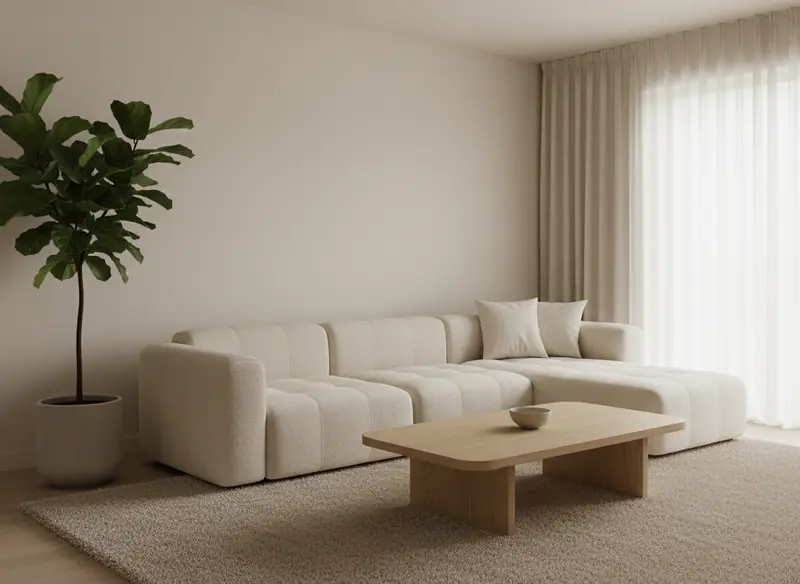
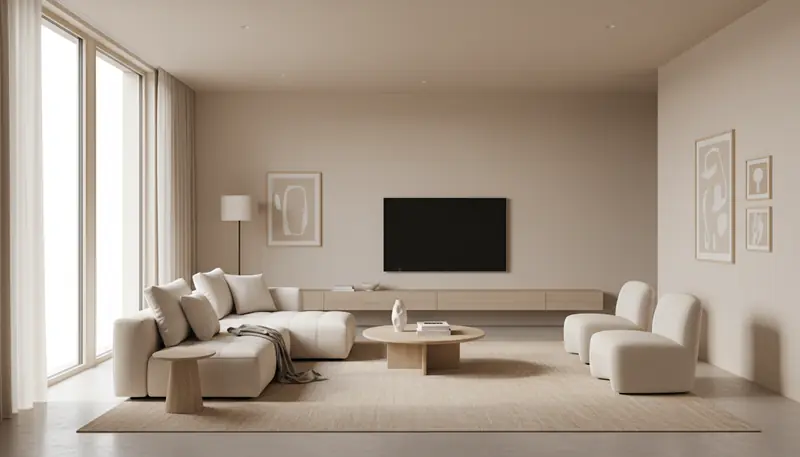
Minimalist
Simple and clean. Less stuff, more peace of mind.
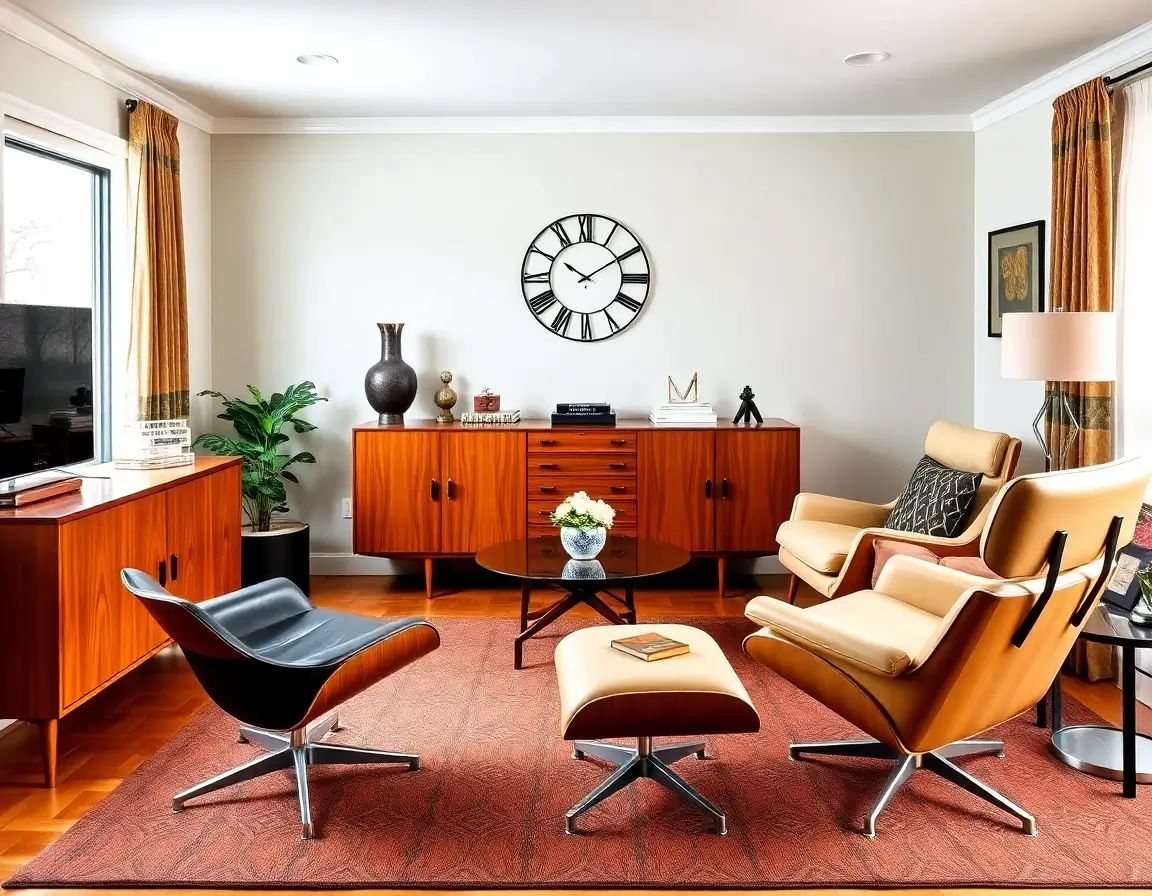
Mid-Century Modern
Classic retro look from the 1950s-60s. Timeless furniture with clean lines and warm wood tones.
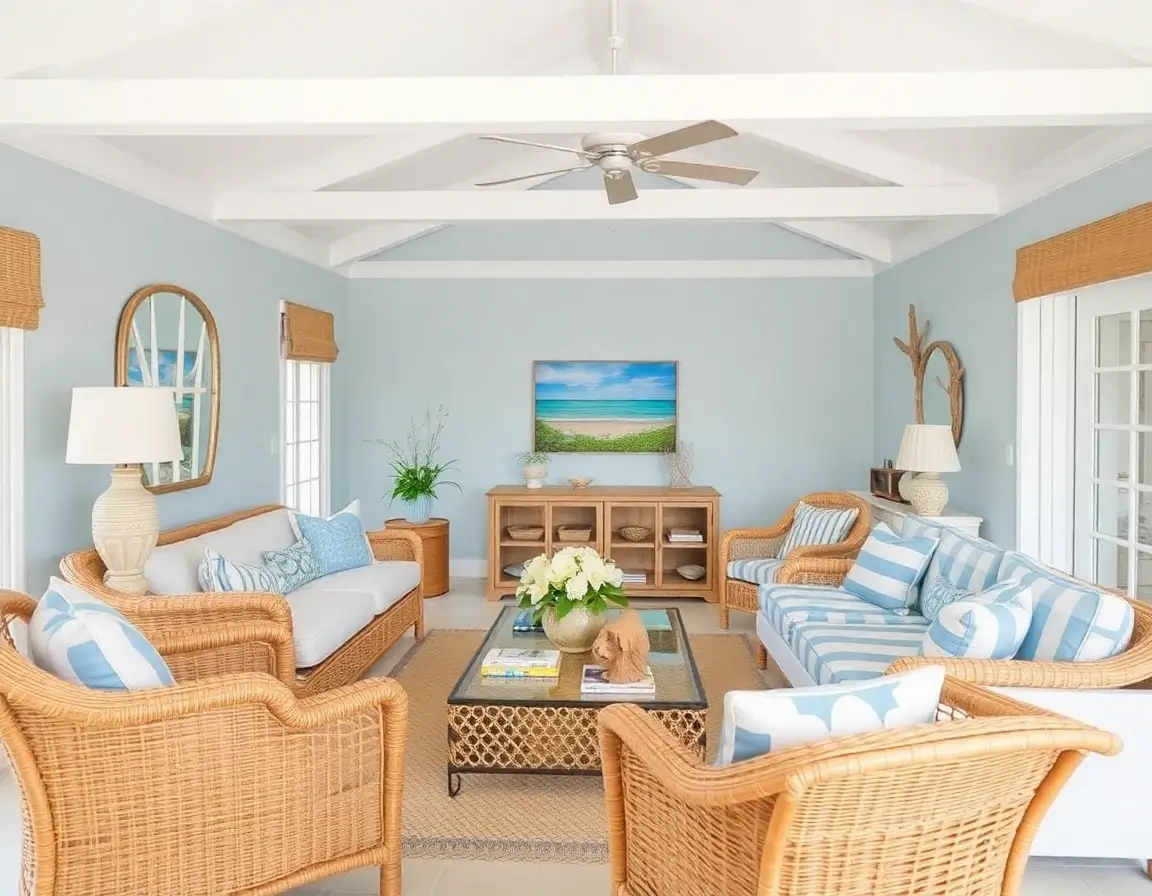
Coastal
Beach vibes with light blues and sandy tones. Feels like a vacation at home!
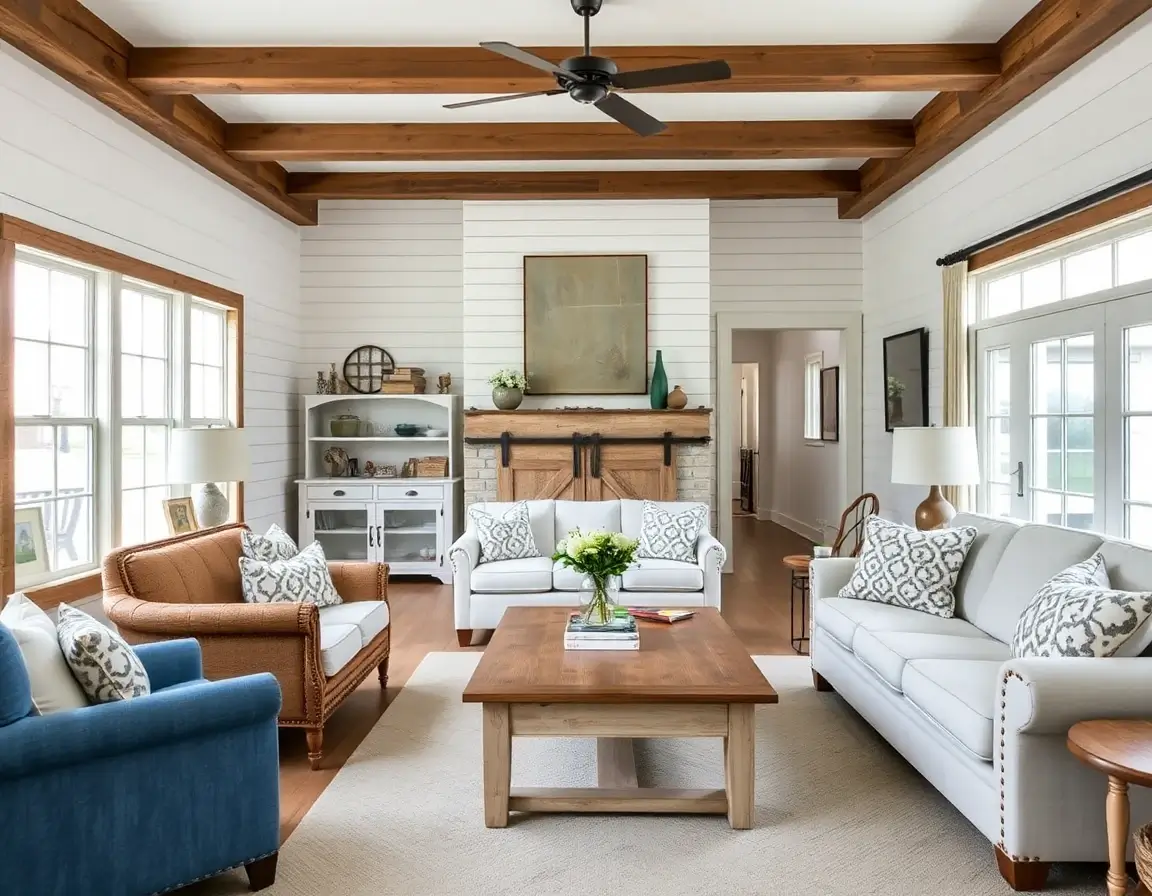
Farmhouse
Cozy country charm with rustic wood and vintage touches. Warm and welcoming.
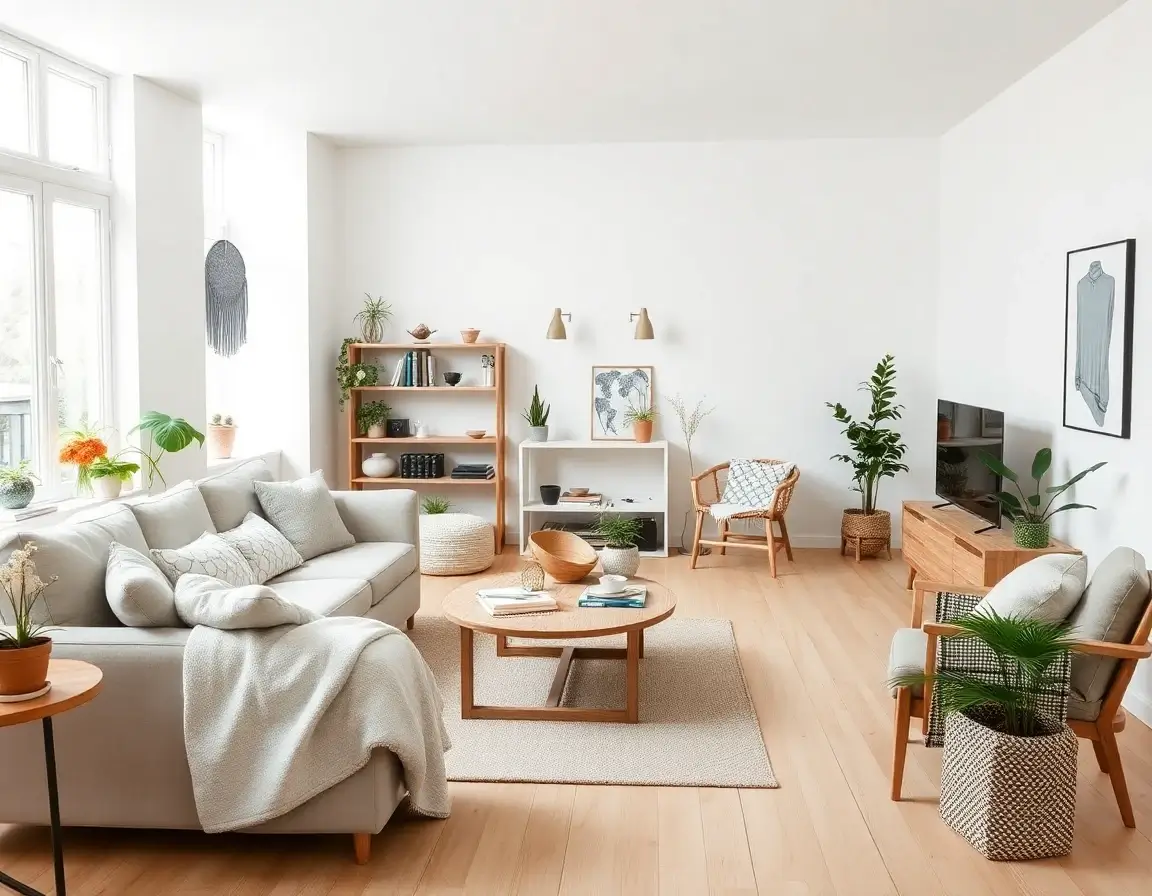
Scandinavian
Light and bright with natural wood. Simple, cozy, and oh-so-comfortable.
Plus many more styles in the AI Decoration App: Art Deco, Japandi, Contemporary, Traditional, Modern Luxury, and more!
Smart Design That Understands Your Room
Our AI Decoration App looks at your room photo and figures out the best way to make it beautiful. You don't need to understand how it works - just upload a photo and see the magic!
It Sees Your Room
When you upload a photo, the AI Decoration App looks at your room carefully. It figures out where the walls are, where the light comes from, and how much space you have. This helps it place furniture and decorations in the right spots!
It Knows What Looks Good
The AI Interior Design App has seen millions of beautiful rooms. It knows what colors go well together, how to arrange furniture, and what makes a space feel cozy or modern. When you pick a style, it applies all the right design touches!
It Works in Seconds
The AI Home Design App creates your new room design in less than 10 seconds. That means you can try lots of different styles quickly! Don't like one? Just pick another style and try again - it's that easy!
Your Photos Stay Private
We know photos of your home are personal! Your pictures are completely safe and private with the AI Decoration App. We never share them with anyone. You can delete them anytime you want. Your privacy is our priority!
The best part? You don't need to understand how the AI Decoration App works. Just upload a photo, pick a style, and let the AI do the rest!
Who Uses the AI Decoration App ?
Whether you're redecorating, selling a home, or just love design - the AI Interior Design App is made for you!
For Homeowners
Planning a Room Makeover?
See exactly how your room could look before spending money. The AI Decoration App lets you try different styles, colors, and furniture to find what you love. No more guessing - see it first, buy later!
For Real Estate Agents
Selling Empty Properties?
Turn bare rooms into beautifully furnished photos with our AI Home Design App. Help buyers imagine living there. Empty houses become warm, inviting homes that sell faster!
For Interior Lovers
Love Decorating?
Play with endless design ideas using the AI Interior Design App! Get inspired, create mood boards, and have fun seeing your space in new ways. Perfect for anyone who enjoys making their home beautiful!
What Do Users Say About the AI Decoration App?
Join over 1 million users who have transformed their homes. Here's what they're saying about DecorAI.
"I was so nervous about picking paint colors. The AI Decoration App let me see different options in my actual room. Saved me from making expensive mistakes! Now my living room looks exactly how I imagined."

"As a realtor, I use this AI Home Design App for every empty listing. It's so much cheaper than real staging and the photos look amazing. My listings are getting way more interest now!"

"Our new house was completely empty and I couldn't picture furniture in it. This AI Interior Design App showed me exactly how to arrange everything. Such a life saver for planning our new home!"

"I thought my small apartment couldn't look good. The AI Decoration App proved me wrong! It gave me designs that actually fit my space. Now my place looks so much bigger and more stylish."

"With three kids, I don't have time to browse Pinterest for hours. I just snap a photo and the AI Room Design App gives me beautiful ideas in seconds. Love how quick and easy it is!"

"Finally found a way to see my renovation ideas before spending money! I tried 15 different styles in the AI Decoration App before choosing the perfect one for my bedroom. This app is a game changer!"

Room-by-Room Design Guide
Expert tips and AI-powered solutions for designing every space in your home. Learn professional design principles for each room type.
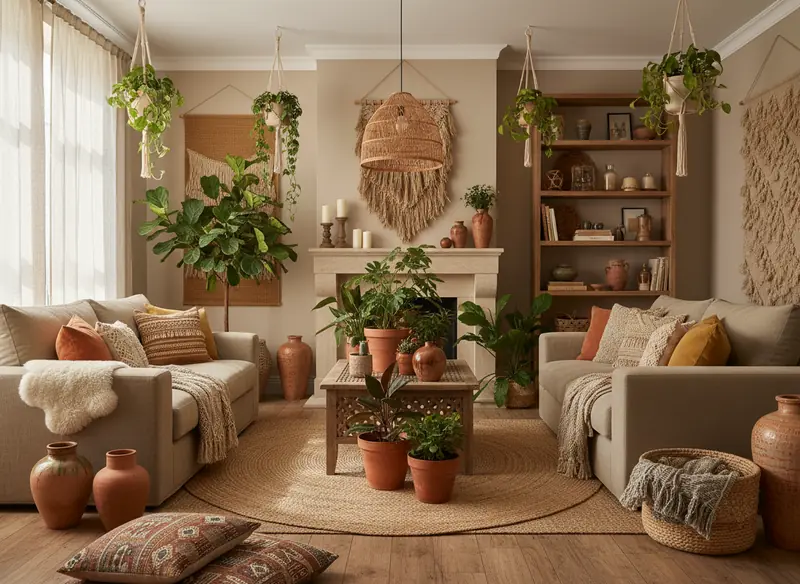
Living Room Design
The living room is the heart of your home—where family gathers, guests are entertained, and memories are made. Designing this space requires balancing comfort with style, functionality with aesthetics.
Seating Arrangement
Arrange furniture to create conversation areas. The ideal distance between seating is 4-10 feet. Use our AI to visualize different furniture layouts—try floating furniture away from walls for a more sophisticated look. Consider traffic flow and ensure there are clear pathways through the space.
Lighting Layers
Combine ambient, task, and accent lighting for a well-lit living room. Use our AI to see how different lighting schemes affect the mood. Layer floor lamps, table lamps, and overhead lighting. Aim for multiple light sources at different heights to create depth and warmth.
Color Psychology
Cool colors like blues and greens create a calming atmosphere, while warm tones like terracotta and gold energize the space. Test different color palettes with DecorAI before committing to paint. Remember the 60-30-10 rule: 60% dominant color, 30% secondary color, 10% accent.
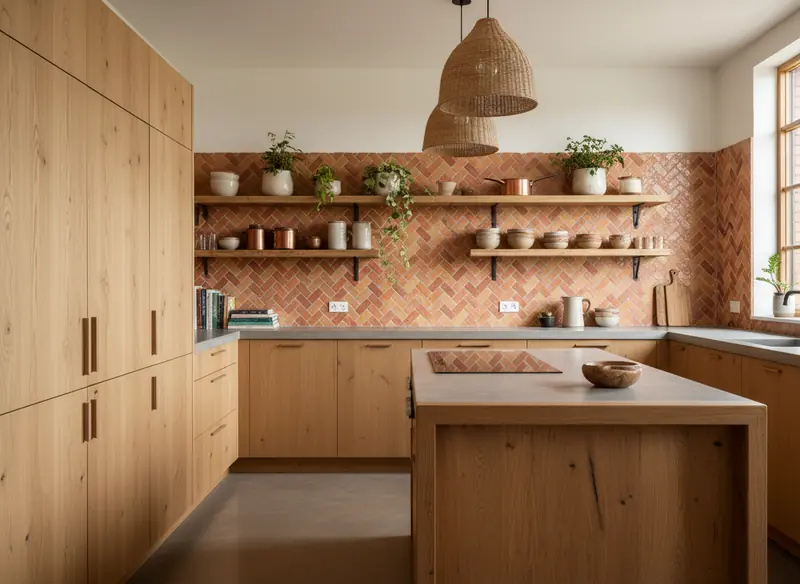
Kitchen Renovation
The kitchen is often the most expensive room to renovate, making visualization crucial. From cabinet colors to countertop materials, every decision impacts both aesthetics and functionality.
The Kitchen Work Triangle
The refrigerator, stove, and sink should form an efficient triangle. Use DecorAI to plan layouts that optimize this workflow. The ideal total distance between these three points is 13-26 feet. This principle reduces unnecessary movement and makes cooking more enjoyable.
Cabinet & Hardware Choices
Cabinet style dramatically affects your kitchen's personality. Shaker cabinets offer timeless appeal, while flat-panel creates modern minimalism. Try different cabinet colors and hardware finishes with our AI before ordering. White and light gray cabinets remain popular for their brightness and resale value, but navy and forest green are trending.
Countertop Materials
Visualize quartz, granite, marble, or butcher block before installation. Each material has different maintenance needs and visual weight. Quartz offers durability with minimal maintenance. Marble provides luxury but requires care. Our AI can show you how each material looks with your cabinetry and flooring choices.
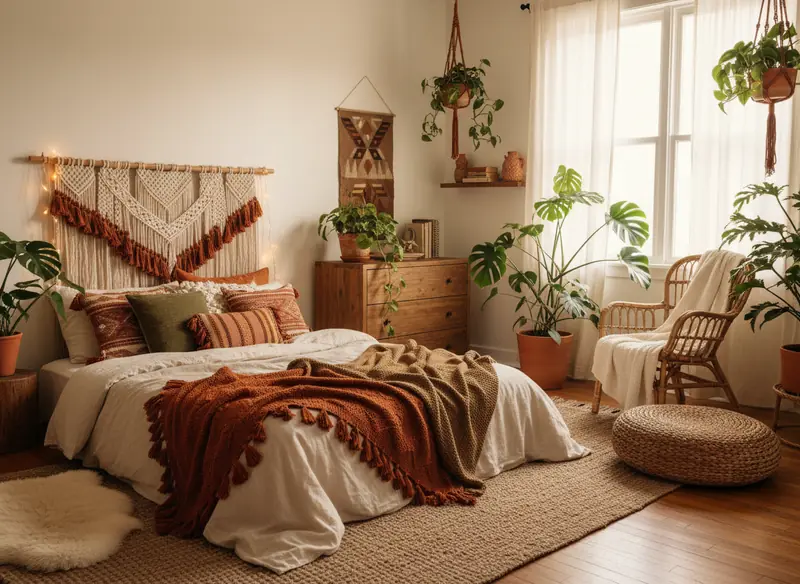
Bedroom Sanctuary
Your bedroom should be a personal retreat—a space that promotes relaxation and restful sleep. Design choices here directly impact your well-being and sleep quality.
Bed Placement & Feng Shui
Position your bed against a solid wall with a clear view of the door (but not directly in line with it). Use our AI to experiment with different bed orientations. Ensure equal access on both sides if sharing. Avoid placing the bed under windows or beams, which can disrupt sleep energy and create drafts.
Color for Better Sleep
Soft, muted tones like sage green, soft blue, and warm gray promote relaxation. Test these calming palettes with DecorAI. Studies show blue bedrooms lead to the best sleep (average 7 hours 52 minutes). Avoid bright reds and oranges, which are energizing rather than calming.
Lighting Control
Bedrooms need adjustable lighting. Layer ambient ceiling lights, bedside reading lamps, and optional accent lighting. Visualize different lighting scenarios with our AI. Install dimmer switches for flexibility. Consider blackout curtains or shades for quality sleep, especially in urban environments.
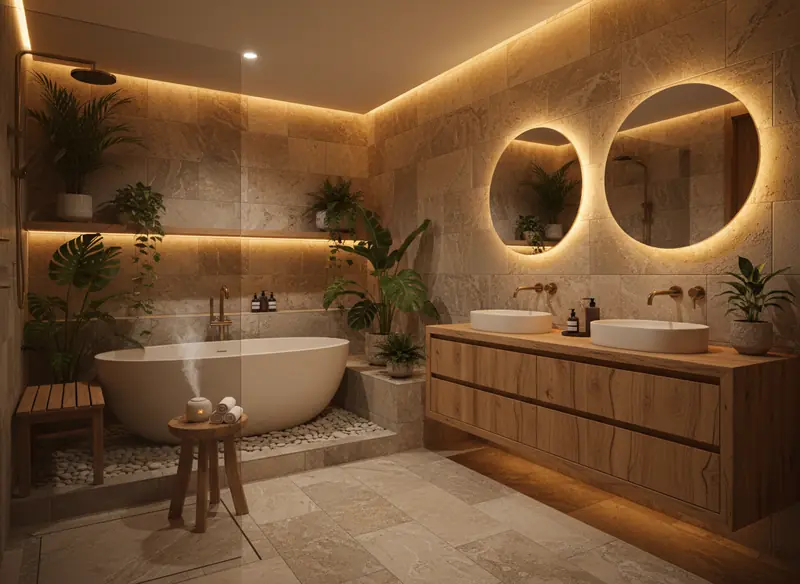
Bathroom Remodel
Bathroom renovations offer excellent return on investment. Whether you're updating a powder room or creating a spa-like primary bath, proper planning prevents costly mistakes.
Tile Choices That Last
Tile is permanent, so choose wisely. Use DecorAI to preview subway tiles, hexagonal patterns, large format porcelain, or natural stone before installation. Consider slip-resistance ratings for safety. Neutral tiles offer timeless appeal, while patterned accent tiles add personality without overwhelming the space.
Storage Solutions
Bathrooms accumulate clutter quickly. Plan for adequate storage with our AI visualizations—recessed medicine cabinets, floating vanities with drawers, and built-in niches in showers. Vertical storage maximizes small bathrooms. Consider a vanity with drawers rather than doors for better organization.
Lighting & Ventilation
Proper bathroom lighting is essential. Layer overhead lighting with task lighting flanking mirrors (not above, which creates shadows). Visualize different fixture placements with DecorAI. Ensure adequate ventilation to prevent mold—aim for a fan that exchanges air 8 times per hour minimum.
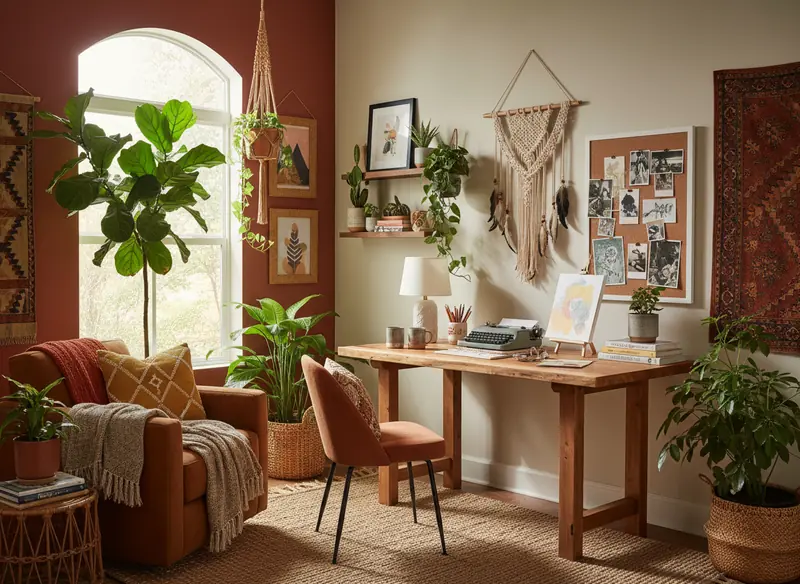
Home Office Setup
With remote work becoming permanent for many, a well-designed home office boosts productivity and maintains work-life boundaries. Ergonomics and aesthetics must work together.
Desk Placement & Natural Light
Position your desk perpendicular to windows to minimize glare on screens while maximizing natural light. Use our AI to find the optimal desk location in your space. If facing a window, use sheer curtains to diffuse direct sunlight. Natural light has been proven to increase productivity and mood.
Ergonomic Considerations
Your monitor should be at arm's length, with the top of the screen at or slightly below eye level. Test different furniture arrangements with DecorAI. Invest in an adjustable chair with lumbar support. Consider a sit-stand desk for health benefits. Keyboard and mouse should allow elbows at 90-degree angles.
Background for Video Calls
In the video call era, what's behind you matters. Use our AI to design a professional background—consider a bookshelf, artwork, or plants. Avoid busy patterns that distract. Ensure good lighting from the front (invest in a ring light if needed). Keep the space tidy and camera-ready.
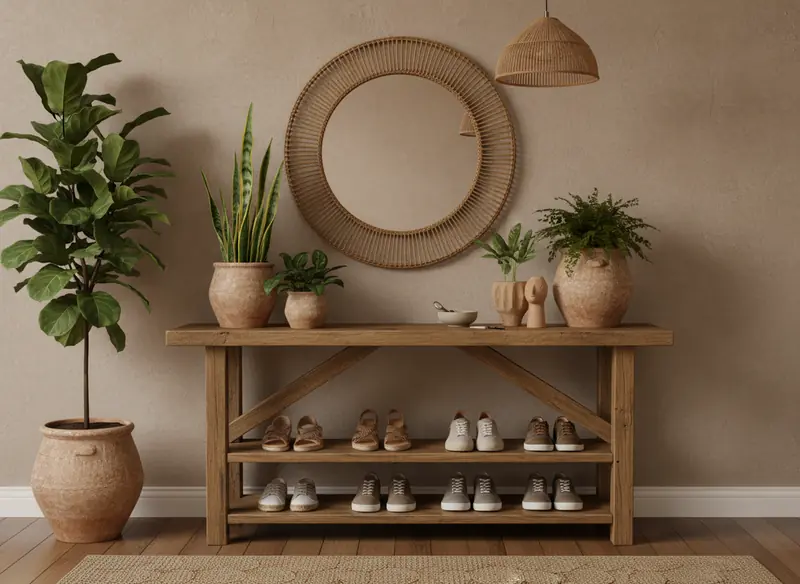
Entryway & Mudroom
Your entryway creates the first impression of your home. This transitional space needs to be both welcoming and functional, handling the daily coming and going of household members.
Storage & Organization
Plan for coats, shoes, bags, and keys. Use DecorAI to visualize built-in cubbies, benches with storage, or wall hooks. Each family member should have dedicated storage to prevent clutter. Consider a drop zone for mail and packages. If space allows, a small closet is invaluable.
Durable Materials
Entryways endure heavy traffic and exposure to outdoor elements. Choose hard-wearing flooring like tile, luxury vinyl, or hardwood with protective finishes. Test different flooring materials with our AI before installation. Consider washable rugs or runners to protect floors and add warmth.
Creating Welcome
Balance function with aesthetics. A mirror visually expands the space and provides a last-minute check before leaving. Add personality with artwork or a statement light fixture. Use our AI to experiment with paint colors—entryways can handle bolder choices since you don't spend prolonged time there.
Ready to Try These Ideas?
Want to try these ideas in your own home? Upload a photo to DecorAI and see how these tips would look in your actual rooms!
Try DecorAI Now - FreeSmall Space Design Tips
Living in a small apartment or studio? These small room design ideas will help you maximize every square foot. Use DecorAI to visualize these tips in your actual space!
Use Mirrors Strategically
Mirrors reflect light and create the illusion of depth. Place them opposite windows to maximize natural light in small apartments.
Choose Multi-Functional Furniture
Opt for ottomans with storage, sofa beds, or nesting tables. Every piece should serve more than one purpose in small rooms.
Go Vertical with Storage
Use tall bookshelves, wall-mounted shelves, and hanging organizers. Drawing the eye upward makes rooms feel larger.
Embrace Light Colors
Light, neutral tones make spaces feel open and airy. Use whites, creams, and soft pastels for walls and large furniture.
Maximize Natural Light
Avoid heavy curtains that block light. Use sheer fabrics or blinds, and keep windows unobstructed for a brighter, larger feel.
Create Zones Without Walls
Use rugs, lighting, or furniture arrangement to define living areas. This adds structure without closing in the space.
See These Ideas in Your Space
Upload a photo of your small apartment and let our AI Room Design tool show you exactly how these tips would look in your home.
Design My Small SpaceWhy AI Design Works for Small Spaces
Small apartment design requires careful planning—every inch matters. Traditional decorating involves guesswork and expensive mistakes. With DecorAI's AI Interior Design technology, you can test different furniture arrangements, color schemes, and storage solutions before buying anything. Our AI understands room dimensions and suggests small space design ideas that actually fit, helping you create a functional, beautiful home regardless of square footage.
What's Popular in Homes Right Now
See what styles are trending! Our AI stays updated with the latest home design ideas so you can make your space look modern and fresh.

Sustainable & Biophilic Design
The movement toward sustainable interiors continues to gain momentum. Homeowners are increasingly choosing eco-friendly materials, vintage and upcycled furniture, and designs that minimize environmental impact. Biophilic design—incorporating natural elements—has moved from trend to standard practice.
"DecorAI offers multiple biophilic and sustainable style options, allowing you to visualize how these natural elements can transform your space while maintaining a sophisticated, modern aesthetic."

Bold Maximalism & Dopamine Decor
After years of minimalism, there's a growing embrace of color, pattern, and personality. "Dopamine Decor" uses vibrant, mood-boosting colors to create spaces that spark joy. This trend celebrates individuality and rejects the notion that homes must be neutral for resale.
"Use DecorAI to experiment with bold color combinations and pattern mixing without commitment. Try that fuchsia velvet sofa or emerald green accent wall virtually before taking the plunge. Our AI understands how to balance bold choices so spaces feel exciting rather than chaotic."

Quiet Luxury & Japandi Fusion
"Quiet Luxury" emphasizes understated elegance through quality over quantity. This aesthetic favors natural materials, expert craftsmanship, and a restrained color palette. Japandi—the fusion of Japanese minimalism and Scandinavian coziness—perfectly embodies this movement.
"DecorAI's Japandi and Minimalist Modern styles capture this serene aesthetic perfectly. Visualize how paring down and choosing quality pieces creates a calming, timeless space that never goes out of style. This approach is particularly popular in urban environments where space is premium."
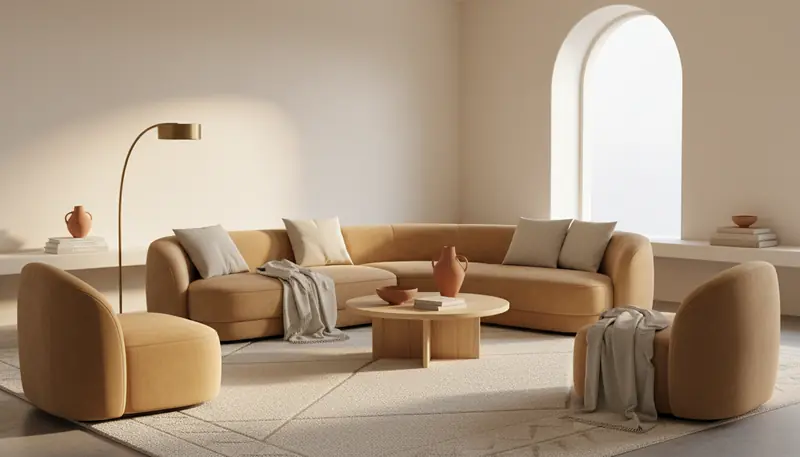
Warm Minimalism
This style addresses the critique that minimalism feels cold and sterile. Warm minimalism maintains clean lines and uncluttered spaces while incorporating warmer tones, natural textures, and organic shapes that make spaces feel inviting rather than austere.
"Experiment with warm minimalist aesthetics using DecorAI. See how softening a stark white room with terracotta accents and oak furniture creates a space that's both clean and cozy. This trend proves you can have simplicity without sacrificing warmth and comfort."
More Design Movements to Watch
Curved Architecture
Arches, rounded furniture, and organic shapes are replacing sharp angles. Curves soften spaces and create visual interest. Think arched doorways, round mirrors, curved sofas, and sculptural lighting.
Multifunctional Spaces
With remote work normalized, homes need to flex. Guest rooms double as offices, dining tables serve as desks, and Murphy beds create instant transformation. Smart furniture and thoughtful layouts are essential.
Artisan & Handmade
Mass-produced items are giving way to unique, handcrafted pieces. Textured walls, hand-painted tiles, custom pottery, and woven textiles add character and support artisans. Imperfection is celebrated as authenticity.
Statement Ceilings
The "fifth wall" is getting attention. Painted ceilings, exposed beams, wallpaper overhead, and architectural details add unexpected visual interest. Color on ceilings can make rooms feel larger or more intimate depending on the hue.
Vintage & Antique Mixing
Curating vintage finds with contemporary pieces creates eclectic, personalized spaces. Mid-century sideboards, antique mirrors, and vintage rugs add history and character while being more sustainable than buying new.
Grounding Earth Tones
Colors inspired by nature—clay, terracotta, ochre, moss, rust—create grounded, calming interiors. These warm, organic hues pair beautifully with natural materials and work across design styles from modern to traditional.
Explore Every Trend with DecorAI
Want to see what these trends look like in your home? Try them all in DecorAI! It's free and you can test any trend before buying anything.
Start Exploring TrendsThe Evolution of Home Inspiration
Pinterest vs. AI Interior Design
From passive inspiration to instant visualization—discover the difference between dreaming and doing.
The Traditional Approach
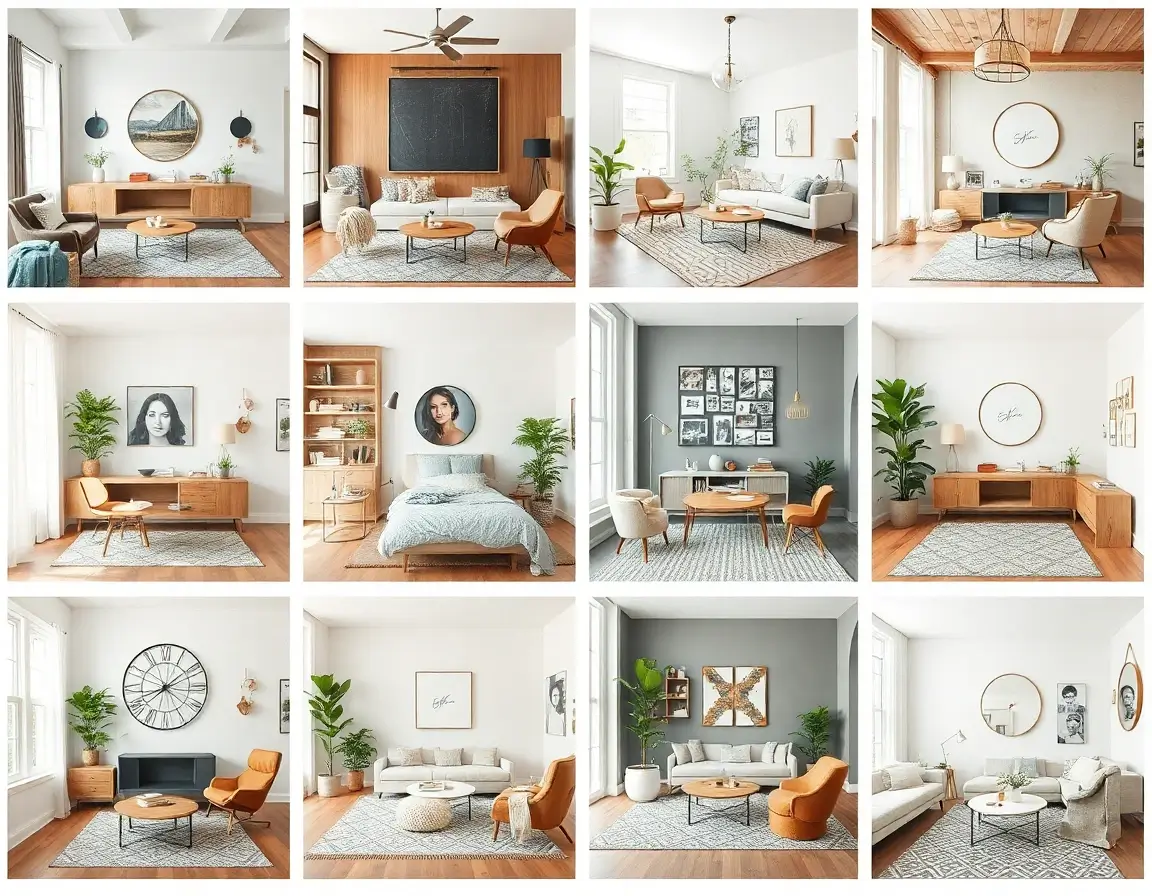
Someone else's home
Hours of Scrolling
Browse thousands of images to find inspiration that might work
Passive Consumption
Save pins and hope to translate ideas to your actual space
Guesswork & Trial
Expensive trial-and-error with furniture and paint
"Will this Scandinavian living room look good in my apartment's lighting?"
AI Interior Design
The AI Revolution
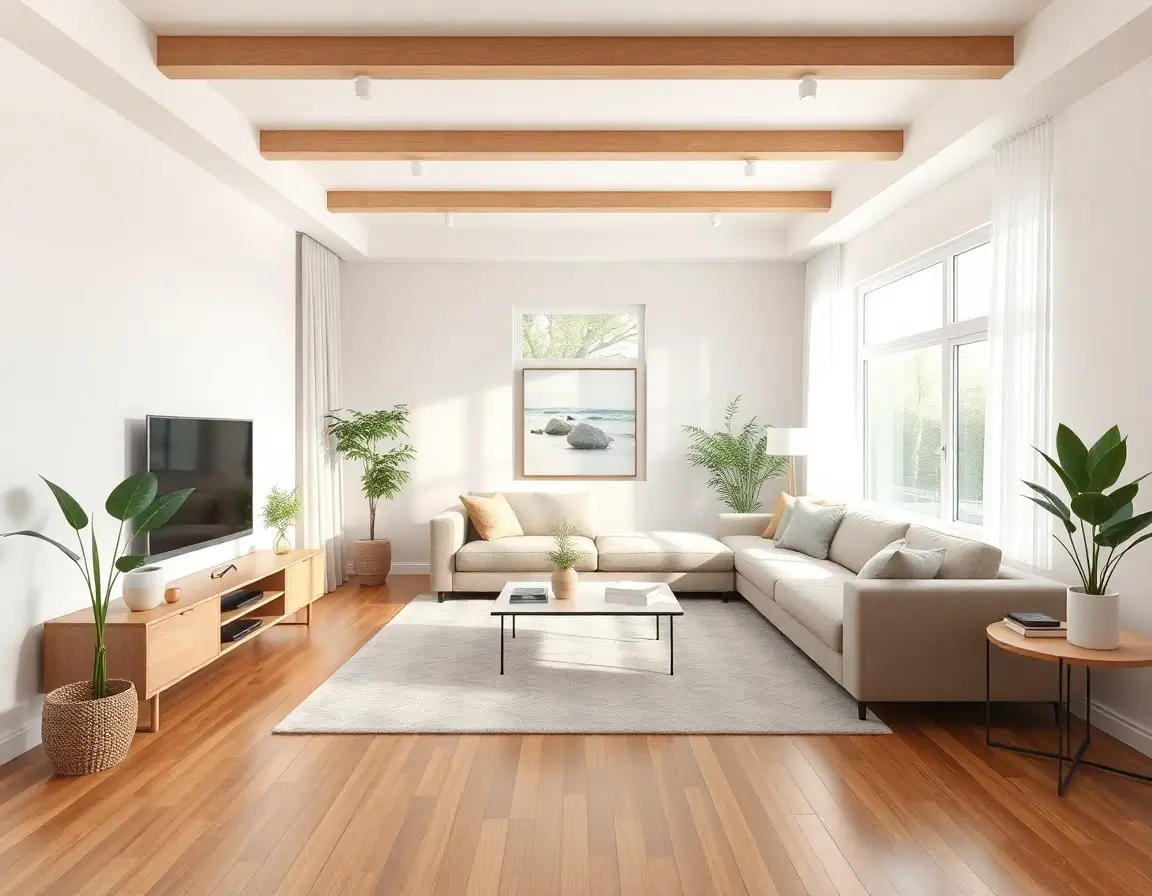
Your actual room, redesigned
Instant Results
See your exact space transformed in seconds, not hours
Photorealistic Precision
AI understands your room's geometry, lighting, and features
Compare Instantly
Generate multiple styles in the time it takes to scroll one board
"See exactly how Scandinavian style looks in your room with your lighting!"
The Hybrid Future
The most powerful approach combines both: use Pinterest to discover styles you love, then use AI tools to apply those aesthetics directly to your space.
Pinterest sparks creativity; AI delivers actionable results. Together, they create a seamless journey from inspiration to implementation.
The Verdict?
Pinterest shows you what's possible. AI shows you what's possible in your home.That's the difference between dreaming and doing.
Upload a photo and see your room transformed in seconds
The Revolution of AI in Home Decor
AI interior design is no longer futuristic—it's here, accessible to everyone. DecorAI brings professional-grade design tools that were once exclusive to high-end firms directly to your smartphone.
Why AI Interior Design is a Game Changer
Traditional interior design is time-consuming and expensive. Hiring a professional can cost thousands of dollars and take weeks of consultations.
DecorAI eliminates this friction. See your room in Bohemian, then Industrial, then Scandinavian—all within a minute. Reduce renovation anxiety and make confident decisions.

Powerful Features at Your Fingertips
AI-Powered Visualization
See your room transformed in seconds. Our AI understands spatial relationships, lighting, and design principles to create realistic previews.
Instant Style Changes
Try Bohemian, Industrial, Scandinavian, and 30+ styles in under a minute. No commitment, just exploration.
Virtual Staging
Real estate agents save thousands with AI staging. Realistic shadows and lighting make virtual furniture indistinguishable from reality.
Renovation Planning
Test flooring, paint colors, and layouts virtually before spending a dime. Avoid costly renovation mistakes.
Style Discovery
Not sure what your style is? Explore over 30 design languages from Mid-Century Modern to Japandi.
Magic Object Removal
Clean up clutter with AI. Remove furniture, objects, or anything in the way to get a clean canvas.
Virtual Staging for Real Estate
For real estate agents and property sellers, presentation is everything. Our AI simulates realistic lighting, shadows, and reflections—making virtual furniture indistinguishable from real life.

Explore 30+ Design Styles
Not sure what your style is? Try them all. From Mid-Century Modern to Japandi, discover your unique design voice.
Mid-Century Modern
Clean lines, organic curves, teak wood, and retro-futuristic vibes with olive greens and mustard yellows. Perfect for AI room design transformations.
Scandinavian
Bright, airy spaces with natural light! Simple furniture, white walls, and cozy textures. Our AI interior design tool nails this minimalist style perfectly.
Industrial
Exposed brick, metal pipes, and raw materials! Perfect for lofts with dramatic lighting. Try this edgy style with our AI room decorator.
Bohemian (Boho)
Colorful, eclectic, and free-spirited! Mix patterns, add plants, layer rugs. Our AI decoration app creates that perfect lived-in boho vibe.
Coastal
Beach house vibes anywhere! Light blues, sandy neutrals, natural textures. Bring the ocean to your home with our free AI room design tool.
Modern Farmhouse
Rustic meets modern! Shiplap, barn doors, cozy textures with clean lines. The AI interior design app makes farmhouse style easy and fresh.
Coming Soon
The Future of Home Decoration
We're just scratching the surface. Future updates will include augmented reality (AR) to see furniture live through your camera, and direct shopping links to buy what the AI suggests.
Join millions of users creating better living spaces with AI.
Frequently Asked Questions About the AI Decoration App
Everything you need to know about using DecorAI to transform your home.
What is DecorAI?
DecorAI is a free AI Decoration App that redesigns any room from a photo. Upload a picture of your room, choose a style you like from 30+ options, and see it transformed in approximately 10 seconds. Available on iOS, Android, and web browsers.
Is the AI Decoration App free to use?
Yes, DecorAI is free to start. You can try the AI Interior Design App on several rooms at no cost. Premium plans with unlimited designs are available for users who want more.
Do I need any design experience?
No design experience is required. If you can take a photo with your phone, you can use DecorAI. The app is designed for everyone—over 1 million people use it, and most have never done any design work.
How does the AI Home Design App work?
Take a photo of any room, pick a style from 30+ options (Bohemian, Modern, Scandinavian, Farmhouse, etc.), and the AI analyzes your room's dimensions, lighting, and layout to generate a photorealistic redesign in about 10 seconds.
What rooms can I redesign with DecorAI?
Any room works with DecorAI: living rooms, bedrooms, kitchens, bathrooms, dining rooms, home offices, and even empty rooms. If you can take a photo of it, the AI Decoration App can redesign it.
How many design styles are available?
DecorAI offers over 30 interior design styles including Bohemian, Modern, Scandinavian, Farmhouse, Coastal, Industrial, Mid-Century Modern, Minimalist, Traditional, and many more.
What devices work with DecorAI?
DecorAI works on iPhones (iOS), Android phones, tablets, and any computer with a web browser. You can use the web app at app.decoraihome.com or download the native apps from the App Store and Google Play.
Does the AI Decoration App work on empty rooms?
Yes, DecorAI's virtual staging feature is designed for empty rooms. The AI fills them with furniture that fits your space proportionally—ideal for new homes, apartments, or real estate listings.
Can real estate agents use DecorAI?
Yes, many real estate professionals use DecorAI for virtual staging. It's significantly more affordable than physical staging and helps listings attract more buyer interest with professionally styled photos.
Are my photos private and secure?
Yes, your photos are private and secure. DecorAI does not share your images with third parties. You can delete your photos at any time through your account settings. See our Privacy Policy for complete details.
Can I preview paint colors before buying?
Yes, DecorAI lets you visualize different wall colors in your actual room before purchasing paint. This eliminates guesswork and helps you avoid costly color mistakes.
Can I test different flooring options?
Yes, DecorAI shows you how hardwood, tile, carpet, and other flooring materials would look in your specific room, helping you make confident renovation decisions.
How realistic are the AI-generated designs?
DecorAI produces photorealistic renders. The AI understands your room's dimensions, natural lighting, and architectural features to create designs where furniture and decor fit proportionally and look natural.
Can I save my favorite designs?
Yes, all your designs are automatically saved to your DecorAI account. You can access them anytime, download high-resolution versions, or share them with others.
Can I share my designs on social media?
Yes, you can download your DecorAI designs and share them on Instagram, Facebook, Pinterest, or any platform. Many users share their before-and-after transformations.
What if I don't like a generated design?
Simply try a different style. DecorAI lets you generate multiple designs until you find one you love. Each generation takes only about 10 seconds.
How is DecorAI different from Pinterest?
Pinterest shows you other people's rooms for inspiration. DecorAI shows you YOUR actual room redesigned with AI. It uses your specific space, layout, and lighting to create personalized designs you can actually implement.
What's the best way to photograph my room?
For best results: photograph during daylight for natural lighting, capture the room from a corner to show maximum space, hold the camera level, and ensure the room is visible (clutter is fine—the AI can work around it).
Can I use existing photos from my camera roll?
Yes, DecorAI accepts any clear room photo from your device. You don't need to take a new photo—upload existing images directly from your camera roll or photo library.
How do I get started with DecorAI?
Visit app.decoraihome.com or download the free app from the App Store (iOS) or Google Play (Android). Take or upload a room photo, select a design style, and see your room transformed in seconds. No account required to try it.
Ready to Try the AI Decoration App?
Join over 1 million people who have transformed their homes with our AI Interior Design App. Start for free - no credit card needed!